 Custom Command
$awaitButton
Waits for a button to be pressed and return its button id, or undefined in case no button was pressed when the timeout is reached.
Tip
This function supports the Message Curl Format.
This way, you can send a message with buttons by using {button:label:style/url:emoji:id:newline(yes/no)}.
Usage
$awaitButton[Message (optional);user id (optional, default:author);timeout (optional, default:15s);button id1 (optional);button id2...]Timeout
The maximum time the bot waits for a user to click a button.
Accepts time in the format 10s for example.
The max time is 60 x (bot tier + 1) seconds, for example for tier 3 it would be 240 seconds.
(Simple response)
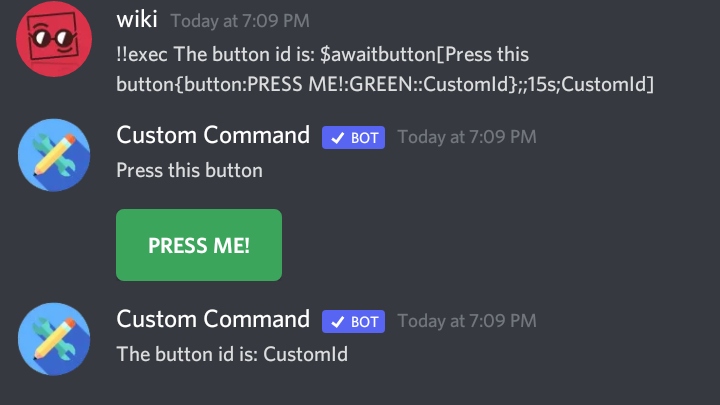
(Usage example)
$let[pressedButton;$awaitButton[Which color is my favorite?
{button:Green:GREEN::green}
{button:Blue:BLUE::blue}
{button:Red:RED::red};$authorID;15s;red;blue;green]]
/* Saves the pressed button id in a temporary var, so you can retrieve later */

$if[$pressedButton!=red]
Wrong!
$else
Correct!
$endif
/* If the button id is different from red, which is the right answer, then incorrect. Else, correct. */
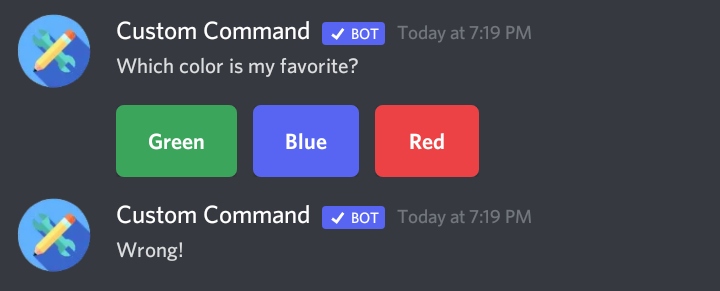
Choosing something other them red, or nothing.
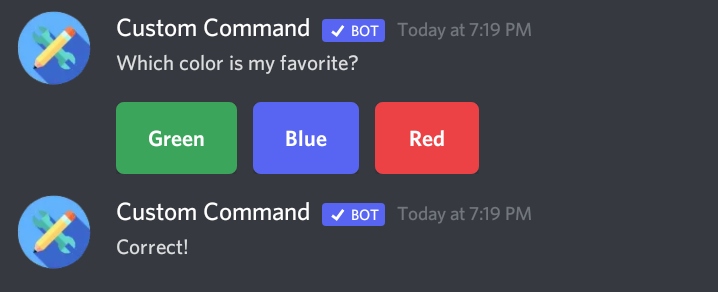
Choosing red.
Note
You can send an embed using the Message Curl Format.
Function difficulty: Medium
Tags: Await Button Interaction Click
Function Cooldown
This function has built-in cooldown. Why? Read more about cooldowns here.
- Cooldown: 2 seconds
- Tracked By: User
- Type:
channeluser
Functions with the same type share cooldowns based on the same Tracked By value.